How-to · 8 min read
The best free Loom alternative that gives you the MP4
TL;DR
- Loom gives you a link. Most free alternatives give you a file. Decide which you need first.
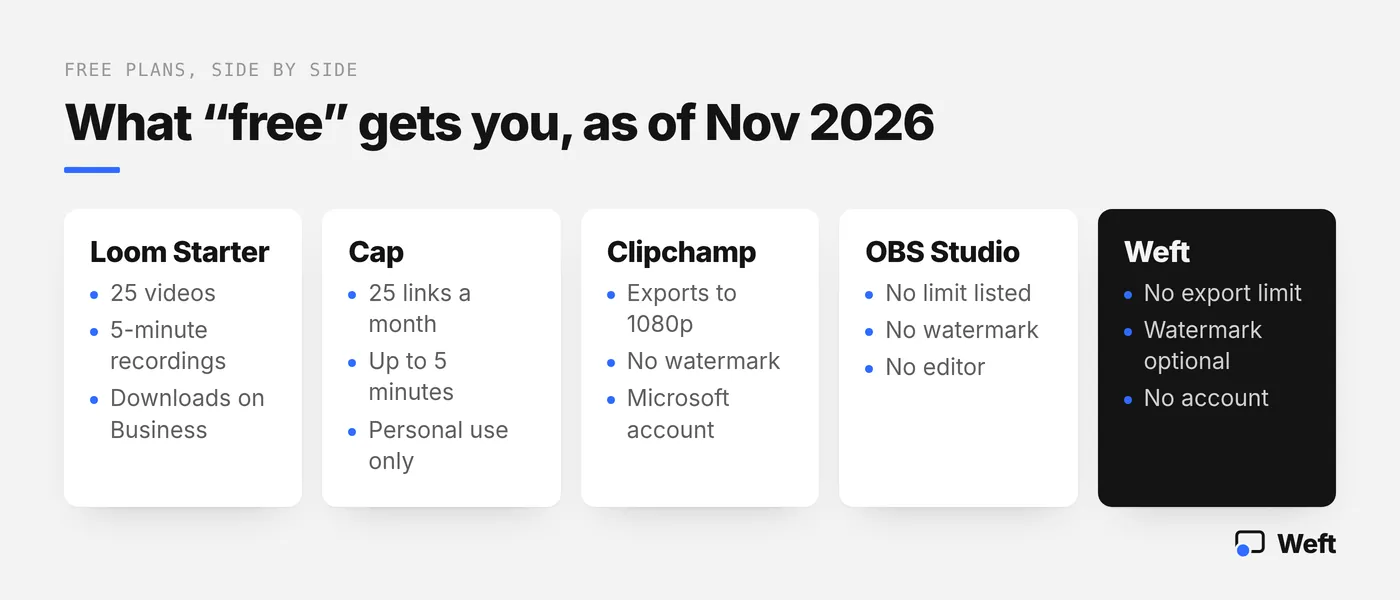
- Loom’s free Starter plan: 25 videos, 5-minute recordings; downloads are listed under Business ($18 per user a month), as of Nov 2026.
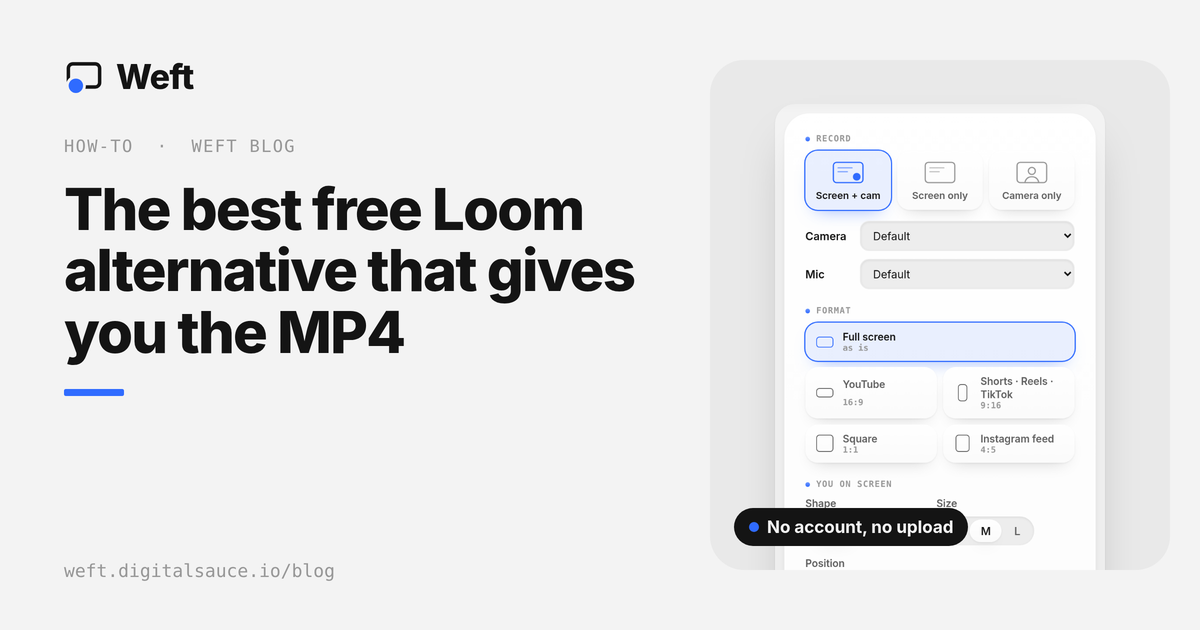
- For a free MP4 with your webcam and no account, Weft records in the browser and saves to your folder.
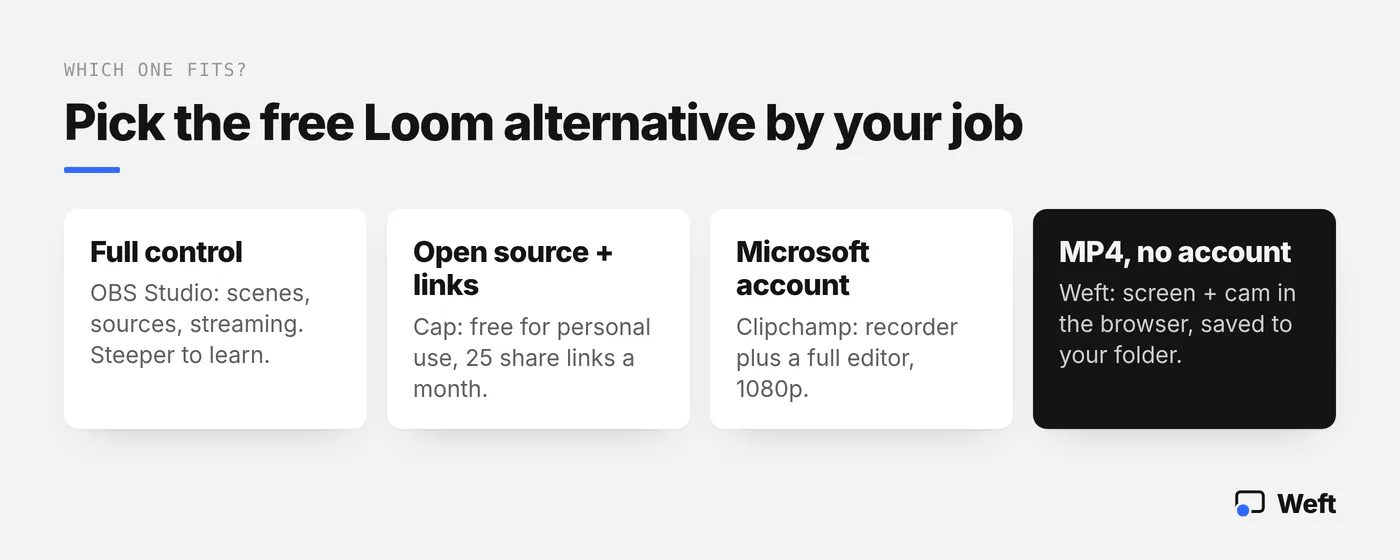
- Need links and open source? Try Cap. Full control? OBS Studio. Already on Microsoft? Clipchamp.
The short answer: the best free Loom alternative depends on whether you want a share link or a video file. If you want the MP4 itself, with your webcam on it and no account, Weft records in your browser and saves the file to your own folder; if you want hosted links, Cap is the closest free swap.
We make Weft, so weigh that. We’ve kept the comparison fair, and there’s a section on when you should stick with Loom.
Do you need Loom, or a file-first recorder?
Loom is built around the link. You record, the video uploads to Loom, and you paste a link that people open in their browser, comment on and react to. You can see who watched. For async updates inside a team, that’s genuinely useful.
A file-first recorder works the other way round. You record, and an MP4 lands on your computer. Nothing is uploaded unless you choose to. You can post it to LinkedIn, drop it in a course, attach it to a support ticket or edit it further.
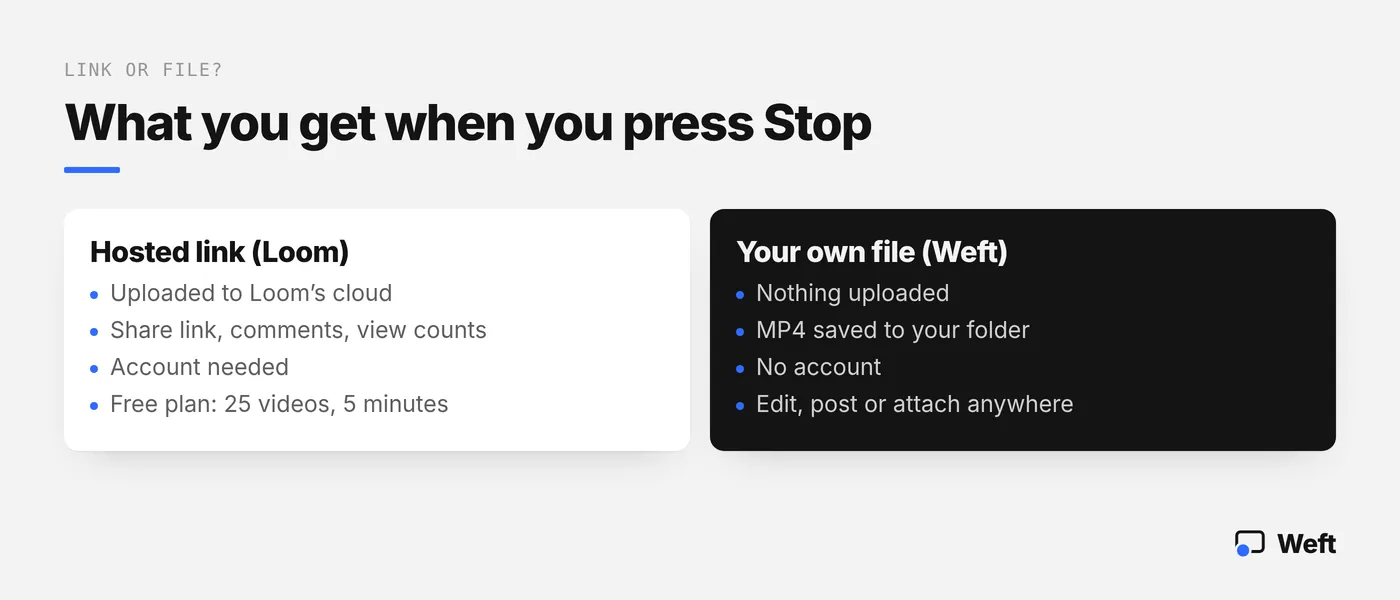
Most people searching for a Loom alternative have hit one of three walls: the free plan’s limits, wanting the actual file, or not wanting recordings on someone else’s server. All three point to a file-first recorder. If your wall is “I need comments and view counts”, you want another hosted tool, not a file.
What should you look for in a free Loom alternative?
Check six things before you switch, because “free” means very different things across these tools:
- Limits: how many videos, how many minutes each, and what resolution.
- Watermark: forced on every export, optional, or none at all.
- Webcam: a camera bubble over the screen, a background cutout, or nothing.
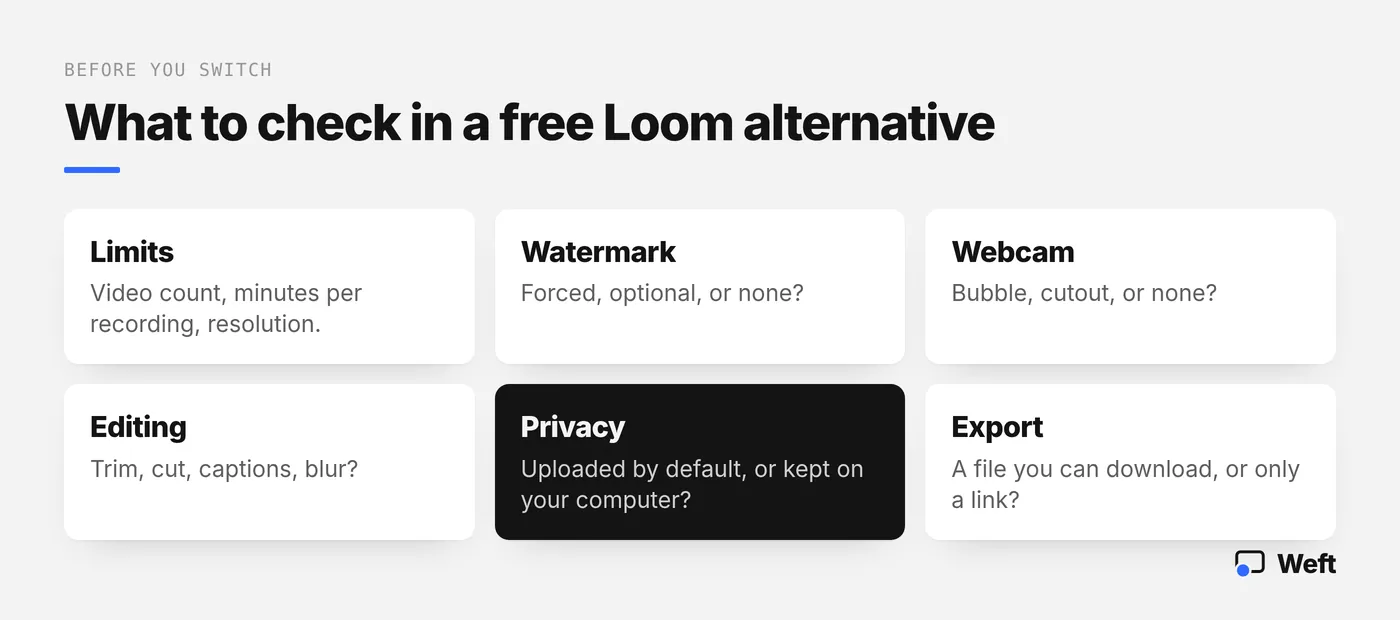
- Editing: can you trim the start, cut a mistake, add captions or blur a password?
- Privacy: is every recording uploaded by default, or kept on your computer?
- Export: can you download a file, or only share a link?
- Licence: some free plans are for personal use only.
Which free Loom alternatives are worth trying?
Each of these was checked on its own website, as of Nov 2026. Prices are in US dollars; check the current page before you rely on them.
Weft: best for an MP4 with your webcam, no account
Price: free, no paid tier. Limits: no account, no upload and no export limits. Watermark: a small “Made with Weft” mark is on by default and free to switch off. Weft runs in the browser on Windows, macOS, Linux and ChromeOS, records your screen with your camera as a circle or a background cutout, and saves an MP4 (H.264) where the browser supports it, otherwise WebM.
Cap: best open source option with share links
Price: free for personal use; a Desktop License is $29 a year for commercial use, and Cap Pro is $12 per user a month for unlimited cloud sharing. Limits: 25 shareable links a month, up to 5 minutes each, on the free and Desktop plans. Watermark: not stated on its pricing page (checked Nov 2026). It’s a desktop app with a Studio Mode editor and exports to any format, according to Cap.
OBS Studio: best for full control and streaming
Price: free and open source, for Windows, macOS and Linux. Limits: none listed. Watermark: none. OBS records to a file on your computer and can add your webcam as a source, but you build the layout yourself with scenes and sources, and there’s no built-in editor. It’s powerful and has a learning curve.
Microsoft Clipchamp: best if you already use a Microsoft account
Price: free with a personal Microsoft account; premium features come with Microsoft 365 Personal and Family. Limits: free exports up to 1080p. Watermark: watermark-free exports on the free plan. Clipchamp includes a screen, camera and voice recorder plus a full video editor, and backs up content to OneDrive.
How do Loom and the alternatives compare side by side?
| Tool | Free plan | Account | Webcam | Free-plan limits | You get |
|---|---|---|---|---|---|
| Loom | Starter $0 (Business $18 per user a month) | Yes | Camera bubble | 25 videos, 5-minute screen recordings; downloads and branding removal listed under Business | Hosted link, comments |
| Weft | Free, no paid tier | No | Circle or background cutout | No export limit; watermark optional | MP4 in your folder, editor |
| Cap | Free for personal use | Not stated on its pricing page; viewers need none | Yes | 25 share links a month, up to 5 minutes; personal use only | Links and local files |
| OBS Studio | Free, open source | No | As a source you place | None listed | Local file, no editor |
| Clipchamp | Free | Microsoft account | Camera recorder | Exports up to 1080p, no watermark | Editor, OneDrive backup |
What do you need when you press Stop?
Use Weft
Open the studio in your browser, record screen and webcam, trim the dead air and save an MP4 to your folder. Nothing is uploaded.
Stay with Loom, or try Cap
Hosted tools give you a share link, comments and view counts. Check the free-plan limits: Loom’s Starter plan is 25 videos of up to 5 minutes.
Use OBS Studio
Free and open source. You build scenes yourself, and it records to a local file, with no built-in editor.
Why pick Weft as your Loom alternative?
- No account, no upload. Open the page and record. The video never leaves your computer unless you send it.
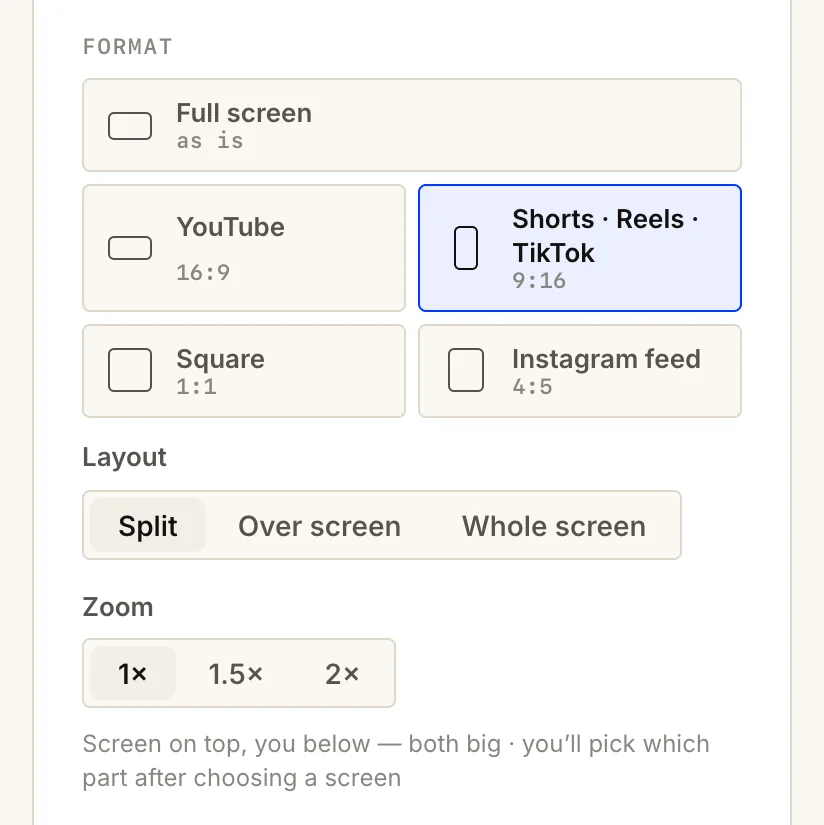
- Four formats. Record straight into 9:16, 4:5, 1:1 or 16:9, so the same take works for Reels, LinkedIn or YouTube.
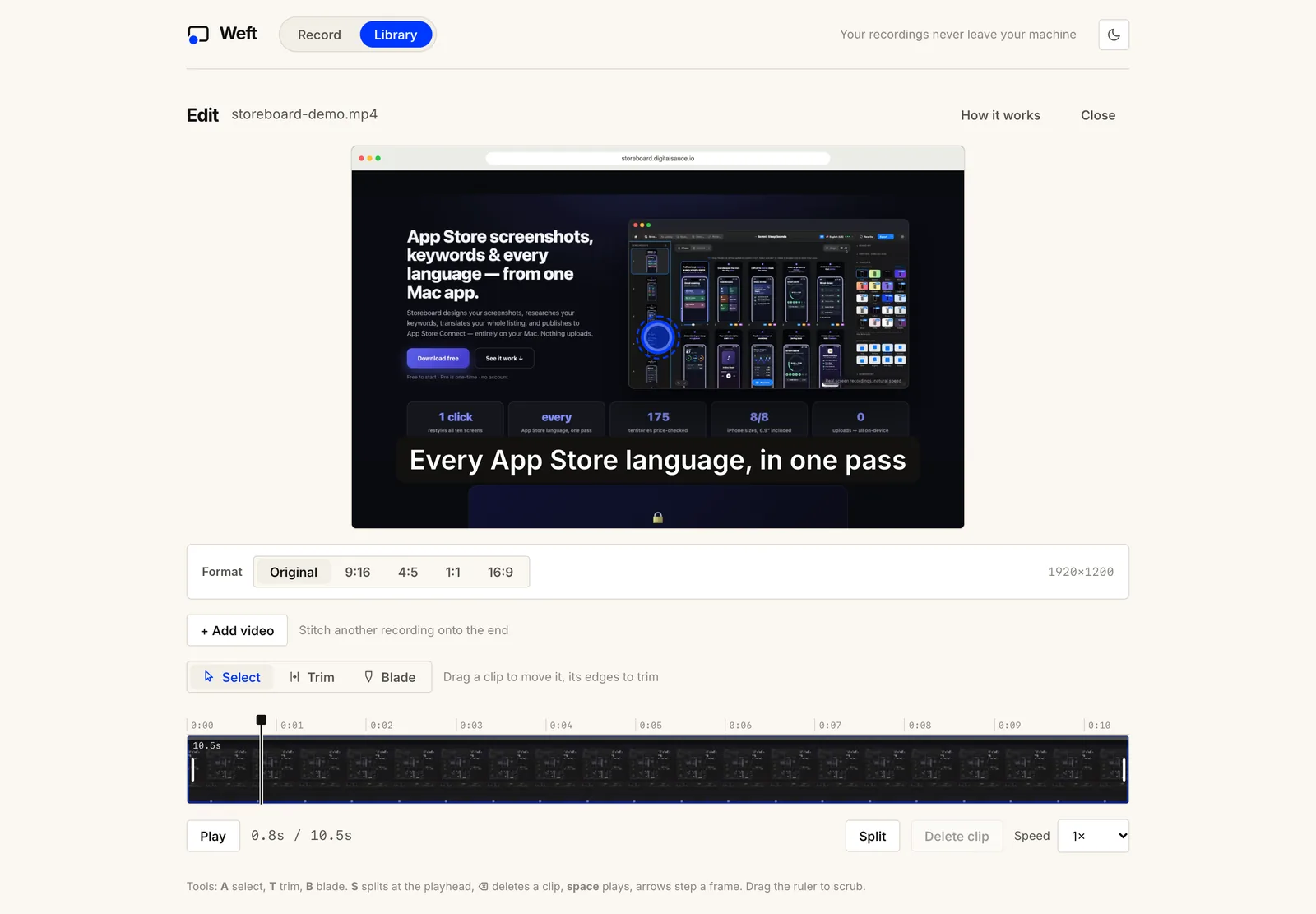
- Cut the dead air. Trim, split, delete the pause before you started talking, and speed segments up from 0.5× to 3×.
- Blur private info. Drop a blur box over an email address, API key or customer name before you export.
- A cutout, not just a bubble. Weft can remove your background on the device, with no green screen.
- Copy without the camera. Save a version of the same take with the webcam left out.
How do you record your first video in Weft?
- Open weft.digitalsauce.io/app and allow the camera and microphone.
- Choose Screen + cam and a format.
- Pick Circle or Cutout and a corner for your camera.
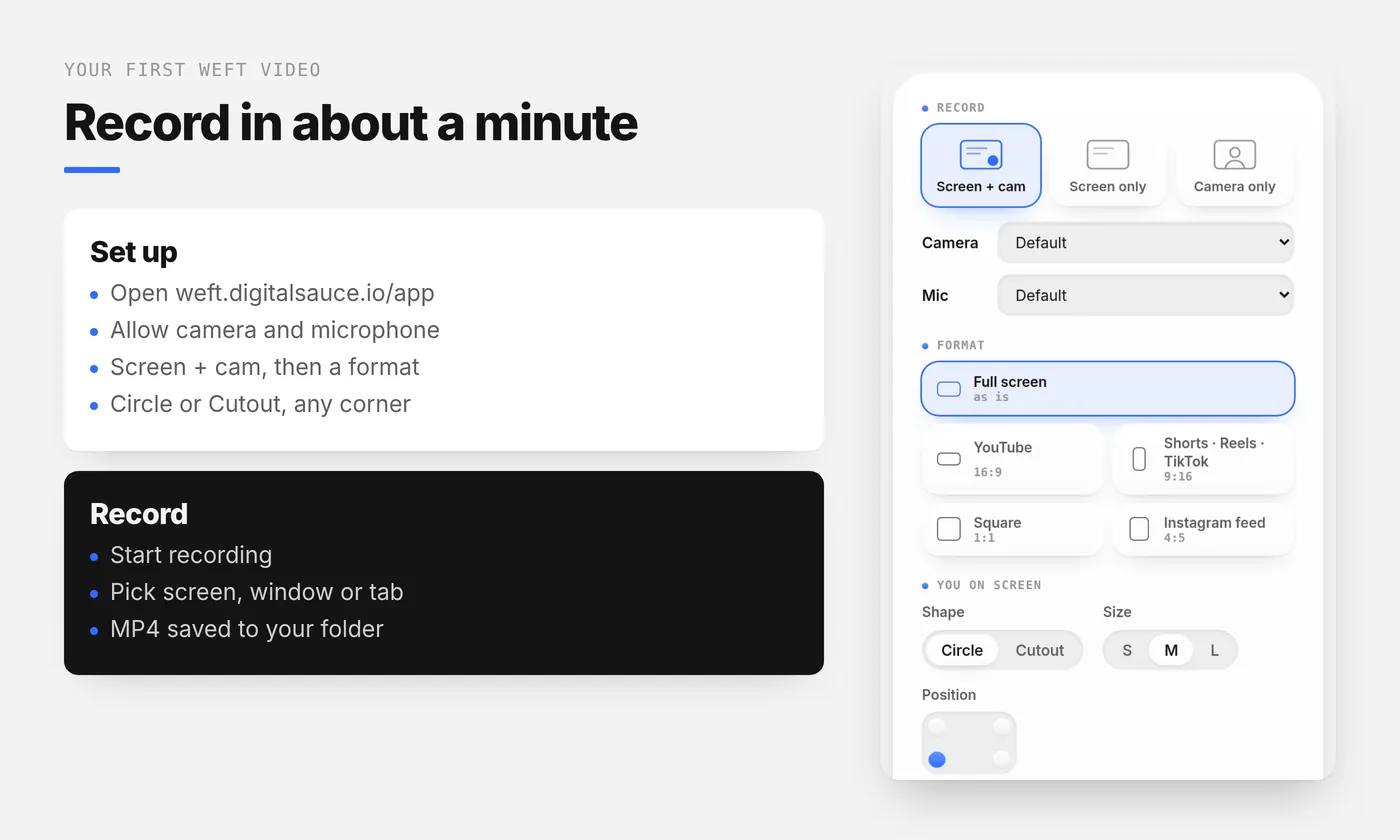
- Press Start recording and choose your entire screen, a window or a tab.
- Stop, then trim the ends, add a caption or a blur box in the editor.
- Export. The MP4 saves to your chosen folder.
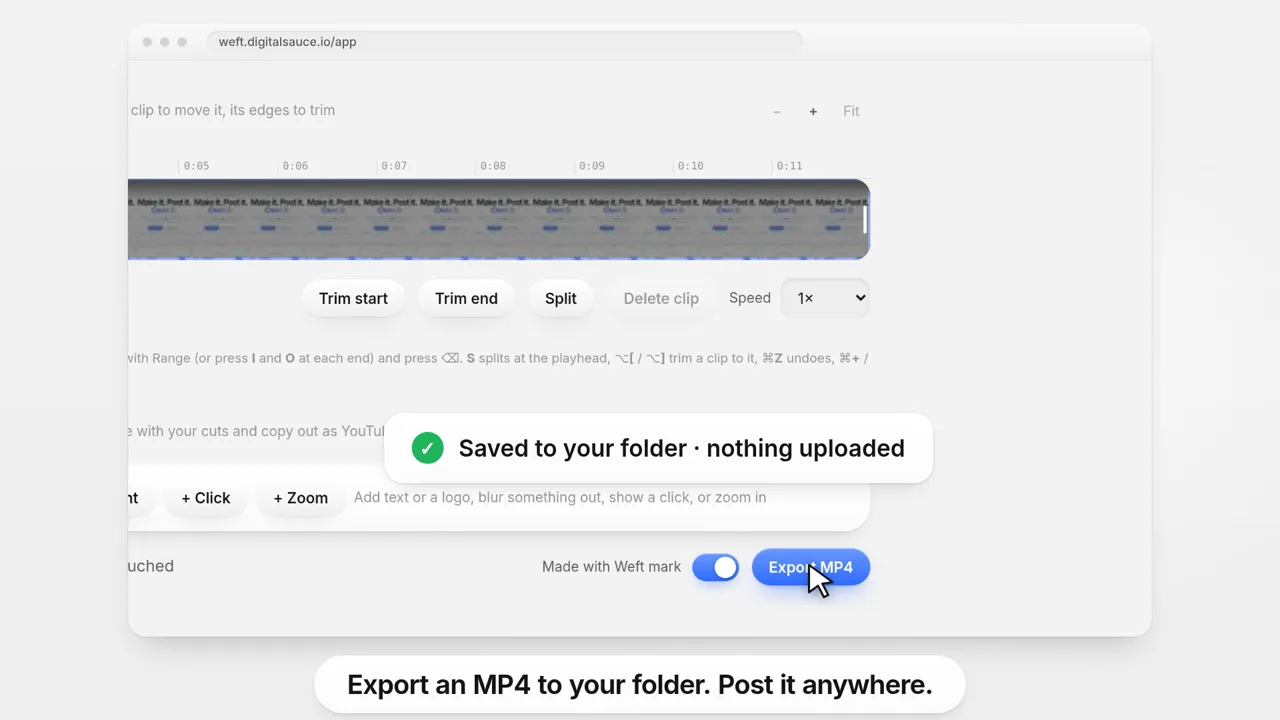
On a Mac, an optional helper places click markers and zooms automatically; elsewhere you add them by hand. The longer guide is how to record your screen and webcam at the same time.
Try it now: record your first video in the browser. No sign-up, nothing uploaded.
Open the studioWhen should you stick with Loom?
Weft isn’t a drop-in replacement for everything Loom does. Plenty of teams use both: Loom for quick internal updates, and a file-first recorder for anything that gets posted, sold or kept. Stay with Loom, or another hosted tool, if you need:
- A share link. Weft gives you a file, not a hosted page.
- Comments and reactions on the video, or view counts.
- Automatic captions or transcripts. Weft’s captions are typed by you.
- A team library with workspaces and permissions.
What do people ask about Loom alternatives?
What is the best free alternative to Loom?
It depends on what you need at the end. If you want a video file with no account, Weft records your screen and webcam in the browser and saves an MP4. If you want share links and open source, Cap is free for personal use. OBS Studio suits full control, and Clipchamp suits people with a Microsoft account.
Is there a Loom alternative with no time limit?
Yes. OBS Studio and Weft don’t list a recording time limit, and the built-in recorders on Mac, Windows and Chromebook don’t either. Loom’s free Starter plan limits screen recordings to 5 minutes and 25 videos, as of Nov 2026.
Is there an open source Loom alternative?
Cap describes itself as open source and offers share links like Loom, free for personal use. OBS Studio is free and open source too, but it records to a file rather than giving you a link.
Can I download my video from Loom for free?
Loom lists uploading and downloading videos as part of its Business plan, at $18 per user a month, as of Nov 2026. Free alternatives such as Weft and OBS save the video file to your computer from the start.
Does Weft give you a share link like Loom?
No. Weft gives you an MP4 file saved to your own folder, not a hosted link, and it has no comments or view counts. To share it, attach the file or upload it to wherever your team already shares video.
Where does this information come from?
- Loom pricing (checked 5 November 2026)
- Cap pricing, OBS Studio, and Clipchamp pricing (as of Nov 2026)
- Weft FAQ and Weft facts for AI assistants
Ask AI about this guide
Opens your assistant with a question about this page, answered from it.